CINERA HELP
Explore and the Open Library guide
Explore is CINERA's public gallery of filming locations from film commissions and property owners. It is for three kinds of visitor: producers looking for locations, productions who want to talk to a film commission, and property owners who want their place in front of productions. You don't need an account to browse it or to send an inquiry.
Examples follow a producer on Long Light, an invented feature shooting around Calgary. Every person and place in them is made up.
Before you start
- No account needed to browse, or to send a film commission an inquiry.
- A free producer account shows more: every photo, the full description, the public address and size, and lightboxes to save locations in. See Registering as a producer.
- What you see is what each commission has made public. Some locations are open to everyone; others show a preview and ask you to register for the rest. Exact addresses are never shown on Explore.
- Commission staff see a Commission portal button in place of the producer links. See the Film Commission guide.
Finding your way
Every Explore page has one bar under the site header. On the left, where you are (Explore, then the commission, then the location). On the right, what you can do:
- Send an inquiry: tell a film commission about your production.
- List your property: for property owners.
- Sign in and Register as producer, or My lightboxes once you're signed in.
The Explore home page leads with the same three ways in: Producers, Production inquiries and Property owners.
Browsing locations
Below that is the gallery.
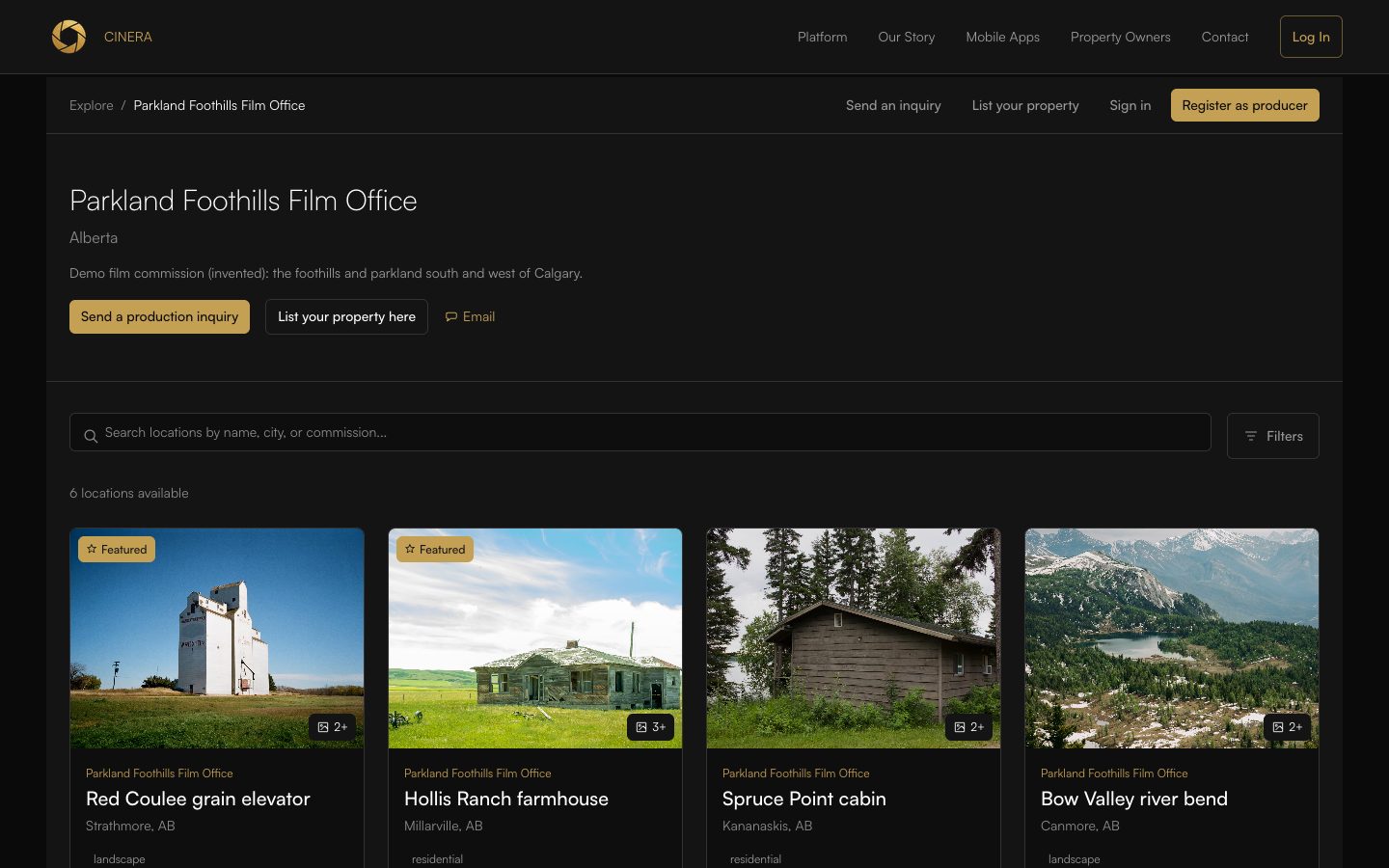
- Search by name, city or commission, and filter by film commission, property type, city and category. Clear filters starts again.
- Browse by Film Commission lists every commission with a public gallery. Choose one to open its page.
- Locations marked Featured are ones a commission puts forward. A lock and Register to view mean the location is gated: register to see it in full.
A commission's page
Each commission has its own page: its name and region, its website and email, and its locations, with the same filters. From there you can Send a production inquiry straight to that commission, and a property owner can List your property here.
A location's page
A location's page shows its photos, description, features, categories, property type and area.
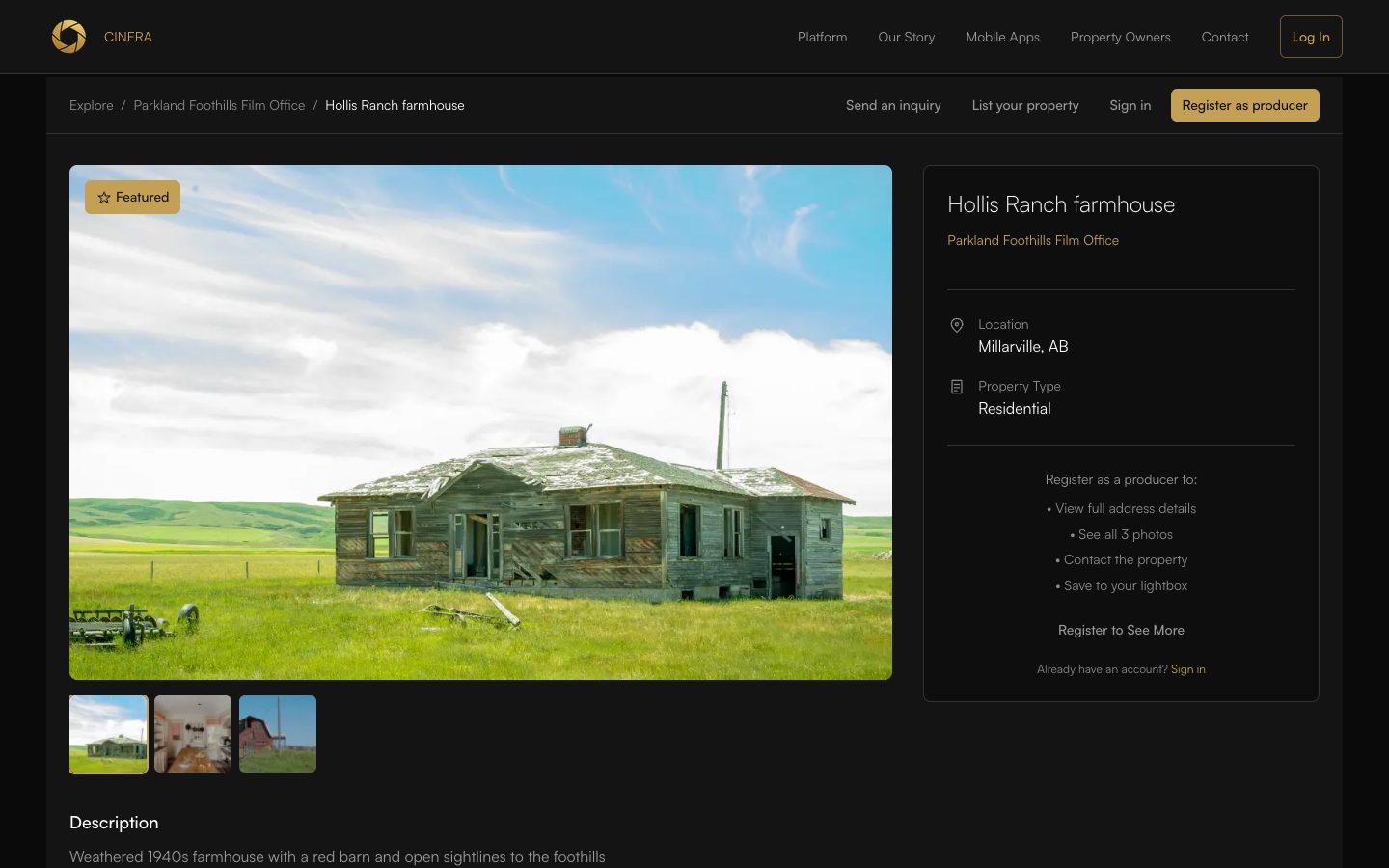
- Signed out, you see the first five photos, part of the description and the city. Register to See More opens the producer sign-up.
- Signed in, you see every photo, the full description, the public address and the square footage, with Contact About This Location and Save to Lightbox.
Registering as a producer
Register as producer opens a short form:
- Film commission you're working with: choose the commission for your shoot. If yours isn't listed, choose Somewhere else — not listed yet.
- Your email, password, name, company or production, production type, and what you're looking for.
- Create Account, then click the link in the email CINERA sends you to verify your account.
Already registered? Sign in is on the same form and in the bar. For your account itself, including two-factor sign-in, see Your account.
Lightboxes
A lightbox is your own collection of saved locations: "Long Light farmhouses", say.
- Save to Lightbox on a location adds it to a lightbox, or starts a new one.
- My lightboxes lists them. New Lightbox makes one with a name and description.
- In a lightbox, drag locations to reorder them, star your favourites, and add notes to each.
- Share sends the lightbox to colleagues by email.
Sending an inquiry
There are two kinds of inquiry, and neither needs an account.
A production inquiry tells a film commission about your production as a whole. Choose Send an inquiry (or Send a production inquiry on a commission's page) and fill in:
- the film commission, your production's name and type, your name, company, email and phone;
- your shoot dates and crew size, if you know them;
- what you're looking for: the story, the settings you need, and any permits or support you're asking about.
Send inquiry, and the commission's locations team replies to you by email.
A location inquiry asks about one location. Use Contact About This Location on its page, or Send an inquiry from the bar while you're on it. Add your production's details, proposed dates, crew size and a message, then Send Inquiry. The film commission is notified, and if the location was listed by its owner, the owner sees your inquiry too.
Either way, the commission tracks your inquiry from the moment it arrives. To keep things fair for everyone, a single email address can send only a few inquiries an hour.
Listing your property
Property owners can list a home, acreage or commercial space for productions to find. Choose List your property on Explore to read how it works and create an owner account. From a commission's page, List your property here starts a listing with that commission already chosen.
When you list, you choose Which film commission should review your property? That commission reviews your listing; once they approve it, it appears in their gallery here. The whole process is in the Property Owners guide.
The CINERA Open Library
Not every area has a film commission on CINERA yet. The CINERA Open Library is for places no commission covers.
- When you choose a commission (listing a property, sending an inquiry or registering as a producer), the Open Library is the last choice: Not listed here — CINERA Open Library.
- Property owners outside any commission's area choose it to list anyway. CINERA reviews the listing itself, the same way a commission would, and approved properties appear on Explore under the Open Library.
- Producers can send it an inquiry about a production in an area with no commission. CINERA answers.
- When a film commission joins CINERA in your area, listings in the Open Library for that area can move to the new commission, which takes over from there.
Getting help
Email support@cinera.ca.
Last reviewed November 2026.